Make them take
the long way.
Place your cats to shape the swarm’s route. Block every path and enemies fight their way through. Pause to plan your next move.
 PurrimeterThe Garden Guard
Your garden. Your cat patrol. An endless swarm with absolutely no respect for either.
Build a maze, recruit your defenders, and hold the line in this pixel-art tower defence game.
Available for macOS and Windows.
Free to play. No account needed.
Unsigned builds. Read the installation notes.
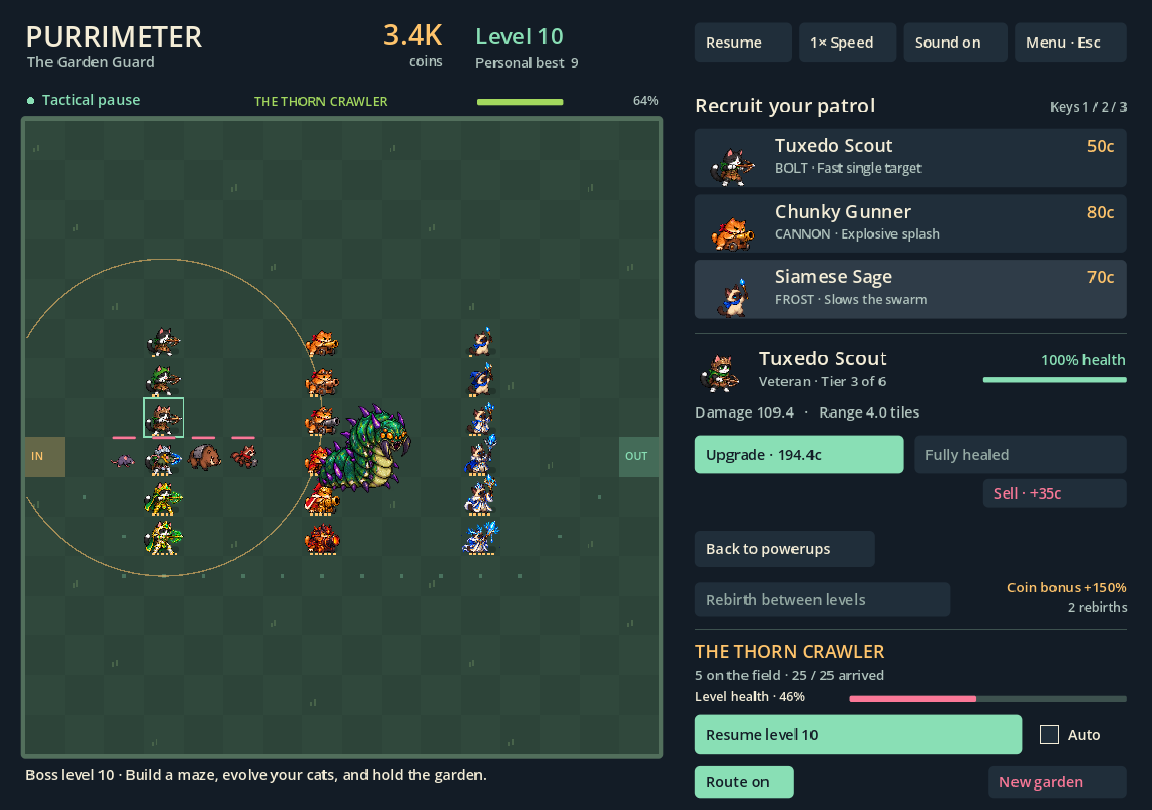
Place your cats to shape the swarm’s route. Block every path and enemies fight their way through. Pause to plan your next move.
Grow three distinct cat roles through six tower tiers. Discover permanent powerups, face bosses, and rebirth with a stronger coin bonus.
Play solo or join up to two friends. Tend your own gardens, watch each other’s patrols, and chat as you progress at your own pace.
These builds are unsigned, and the Mac app isn’t notarized. Your computer may ask for an extra confirmation before opening the game.
See Apple’s guide to opening downloaded apps for details.
Some Windows security settings or managed computers block unsigned apps entirely. See Microsoft’s explanation of SmartScreen.
Your garden saves automatically. Switch between single player and multiplayer with the same progress.